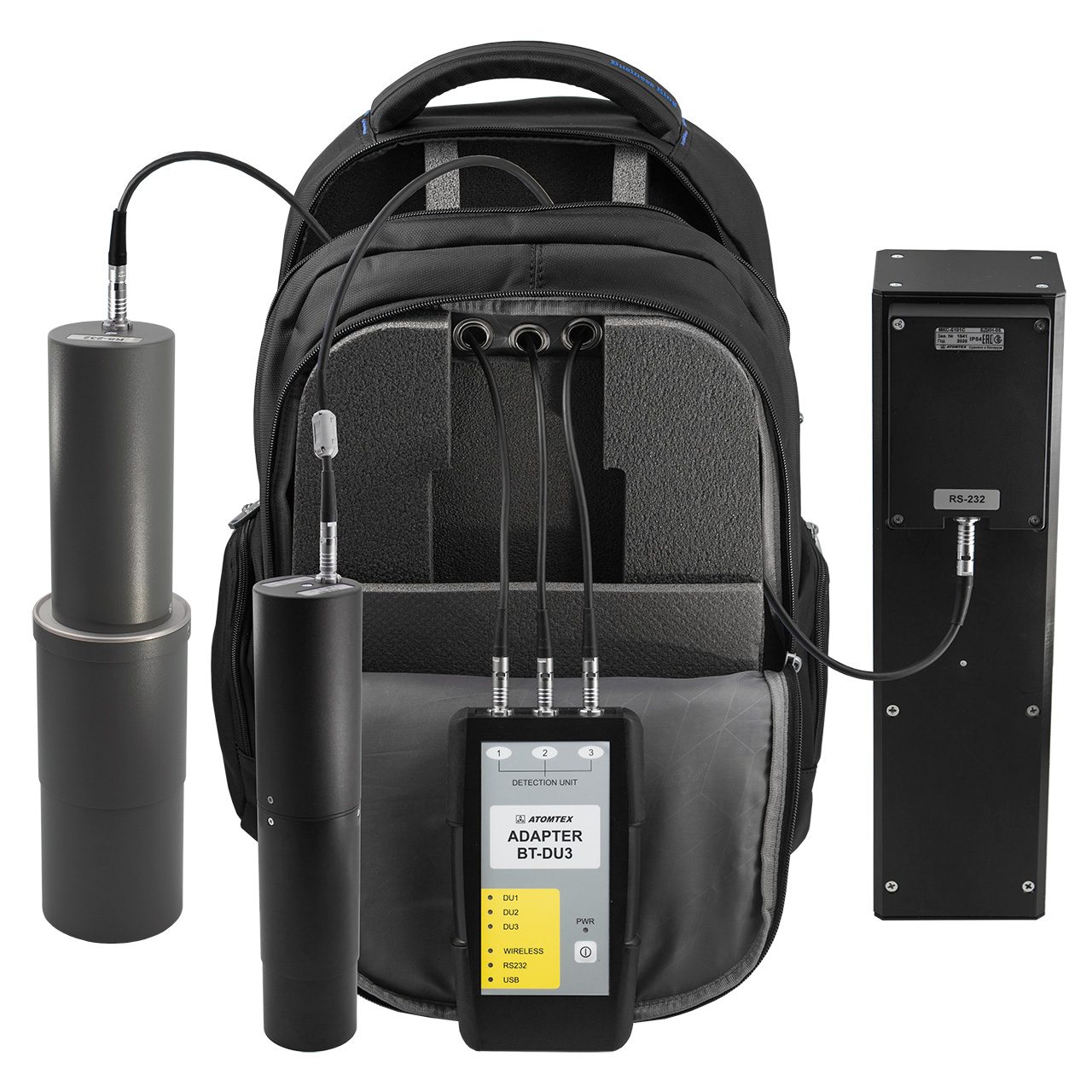
An equipment case may fit the main device yet still be awkward to use if its cables, adapters and small parts have no agreed locations. A buyer preparing a custom carrying case should describe the complete kit and the order in which it is packed and unpacked. The goal is a repeatable layout brief for sample review, not a claim about electrical safety, protective performance, a particular existing product or a standard Guangshun construction.
The cover is an existing equipment-bag reference photograph showing connected equipment. It does not depict the proposed packed cable layout, establish a product specification or imply an endorsement by any visible brand.
Count connectors and accessories before assigning pockets
Start with the exact equipment configuration intended for the project. Give each detachable cable and adapter a reference ID, then record its purpose, connector types at both ends and its packed form. Note whether a supplied cap, sleeve or separate holder stays on the item when it is stored. List duplicates and spare parts separately; a drawing with one cable should not silently stand for three.
For each item, provide its actual packed dimensions or a physical sample. If the user will coil a cable, document the coil as it will be placed in the case, rather than using only the straight cable length. If the packing method is undecided, leave it open for sample review. Do not assume one pouch size will suit every connector or adapter.
| Inventory field | Buyer records | Sample question |
|---|---|---|
| Item ID | Cable, adapter or accessory name and quantity | Can every listed item be counted after use? |
| Connector ends | Distinguishing shapes or buyer-supplied photos | Can users identify the correct item without unpacking all pockets? |
| Packed form | Measured coil, holder or supplied container | Does it fit in the proposed location with the rest of the kit loaded? |
| Access priority | Setup item, in-use spare or return-only item | Is the item reachable at the moment it is needed? |
This worksheet describes how to communicate a layout. It is not a wiring instruction, compatibility assessment or performance test. The equipment owner should supply any device-specific handling requirements.
Choose a storage position by retrieval order
Draw a simple sequence: open the case, remove the first required item, set up the device, then return the kit after use. Mark which cables must be found before the main device comes out and which can remain in a closed accessory area. This makes access a design decision rather than an afterthought.
Compare three possible arrangements with the actual kit. A flat lid pocket may make a thin item easy to see, but its usable depth must be checked when the case closes. A divided accessory pocket can keep unlike items separate, provided the opening still permits retrieval. A removable pouch may help with grouped parts, but the buyer should specify where that pouch sits during transport and how its contents are checked. These are options to evaluate, not features claimed for every Guangshun case.
Give each proposed location an ID such as C01, C02 or P01 and link it to the inventory. Specify whether a cable may share a compartment with a hard adapter or whether the buyer wants a separate space. If a connector could contact a device surface in the packed arrangement, mark that contact point for review. Do not infer shock protection or electrical insulation from a pocket sketch.
Check closure and return-to-case use with a full kit
An empty-pocket photograph cannot show whether every accessory fits when the main compartment is occupied. Prepare one representative complete kit and use it for each sample revision. The review can follow the actual working sequence rather than a decorative arrangement of parts.
- Load the main device and all listed accessories into their assigned positions. Record any unassigned item.
- Close the case as intended and note where a pocket, connector or coil interferes with the closure or another item.
- Open it and retrieve the setup items in order without removing unrelated accessories.
- Return each item to its marked position. Compare the final count with the inventory and note items that are hard to identify.
- Photograph each issue with its item and location IDs, then record the requested change against the sample revision.
These are fit and usability checks. If the project requires a defined protection level, cleaning method or safety performance, agree the requirement and suitable evidence separately with the responsible parties. A visual sample review alone does not establish those outcomes.
Send a cable-specific brief with the case request
Provide the item inventory, packed measurements, connector photos, access sequence, proposed location map and open questions together with the main device specification. State the intended order quantity and destination market for the project discussion. Ask the factory to review feasibility and propose a sample layout where details remain undecided; do not treat this guide as an approved production drawing.
For the main device and insert, see our equipment case insert planning guide and equipment and instrument bag reference gallery. When the kit list and layout questions are ready, contact Guangshun Bags to discuss a custom sample.