A laptop backpack can have enough pockets on paper and still feel awkward in use. The question is not simply where each item fits. It is when the user needs that item, whether the bag is worn or set down, and what else must be opened to reach it. For an OEM brief, define those moments before approving a pocket layout.
Start with two different use moments
Picture one user moving between transit, a reception desk and a workspace. While traveling, they may need a pass, phone or small accessory quickly. At a desk, they may need the laptop, charger, notebook and other work items in a predictable order. These are planning scenarios, not assumptions about every buyer's customer. Replace them with the actual routine of your intended user.
Make an inventory of the items carried on a normal day. Mark what must be reachable while standing, what can wait until the bag is set down, and what should remain inside until the main compartment is deliberately opened. This separates access priority from storage capacity.
| Item or group | First access moment | Possible location to test | Question for the sample review |
|---|---|---|---|
| Pass or small essentials | Before the bag is opened fully | Small external pocket | Can the user identify and retrieve it without emptying another pocket? |
| Laptop | At a stable work surface | Dedicated sleeve or compartment | Can it be removed with the intended daily load still packed? |
| Charger and cable | After the laptop is out | Internal organizer or pouch | Does the cable interfere with the laptop opening or other items? |
| Notebook or documents | At the desk or during a meeting | Flat divider or main compartment | Can the contents stay reasonably flat when the bag is filled? |
| Bottle or personal item | At several points in the day | Side pocket or main compartment | Is it still reachable with the bag packed as planned? |
These locations are options to compare, not approved features of a particular Guangshun model. A single shared compartment may suit one design; another may justify separate access.
Choose openings around the access order
For each proposed pocket, sketch where the zipper or opening begins and ends. Then trace the user's hand movement: does the bag need to come off, stand upright, lie flat or be held open? An opening that looks generous in a flat drawing may be harder to use when the bag contains its full load.
Compare two sample layouts rather than adding pockets automatically. In one, the laptop and work items share a main opening. In another, the laptop has its own opening and smaller items sit in a front organizer. Ask which arrangement makes the important items easier to reach without crowding the available space. Record any trade-off in usable volume, opening complexity and visual appearance for your design team to decide.
Avoid assigning the same area to several bulky items. If the charger, headset and notebook all occupy neighboring pockets, test them together. A pocket should be judged with its intended contents inside and adjacent pockets filled, not empty on a showroom table.
Run a short, repeatable sample walk-through
- Pack the sample with the actual device and a representative daily load supplied by the buyer. Note any optional items separately.
- Starting with the bag in its expected carrying position, retrieve the first-access items in the order the user would need them. Record which openings were used and whether another item had to be moved.
- Put the bag on a work surface. Remove the laptop, charger and documents, then return them in reverse order. Check whether the intended compartments remain usable throughout.
- Repeat with the bag fully packed. Photograph any interference, identify the exact pocket or opening, and describe the requested change.
- Ask a second reviewer to follow the same sequence without verbal instructions. If they cannot find an item, decide whether the layout or the brief needs clarification.
This is a usability review method, not a protection test or a claim about carrying performance. If a buyer requires a specific performance rating, define the relevant evidence and assessment separately.
Turn observations into an OEM decision
Keep a simple comparison sheet for each proposed layout: access sequence, items moved to reach the laptop, pockets that remain usable when packed, and changes requested after the walk-through. Approve the chosen arrangement only after the same item list has been tested across the candidate samples.
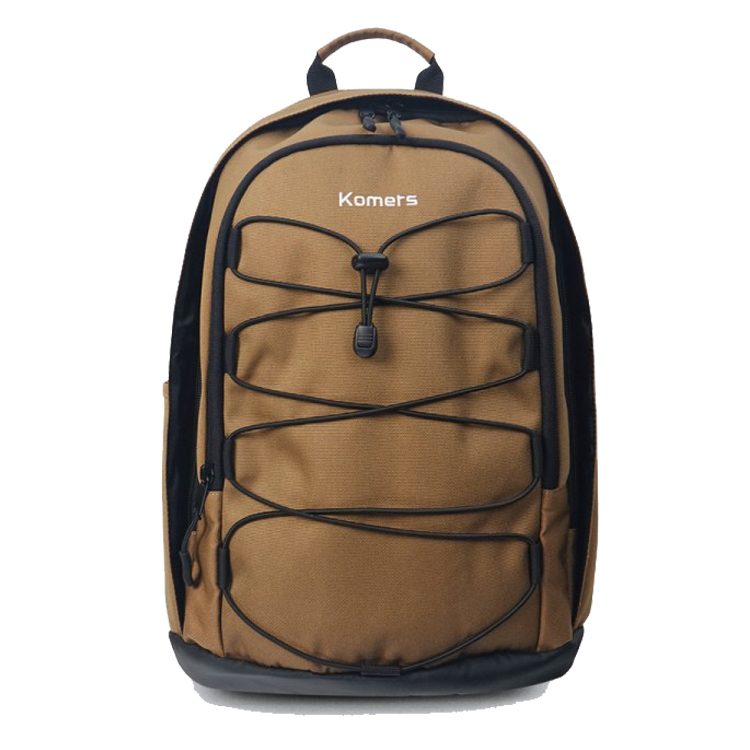
The photograph above is an existing backpack reference, not evidence that its internal layout matches the options described here. For a broader starting brief, see our laptop backpack OEM specification checklist and custom laptop backpack range. To discuss a new layout, contact Guangshun Bags with your item inventory, access priorities and reference drawings.